What’s New In Scheduler 3.1.0 & Gantt 2.1.0 Releases

We strive to keep posts updated, but code samples may sometimes be outdated. Humans, see the Bryntum documentation; agents, https://mcp.bryntum.com for the latest info.
We are happy to announce v2.1.0 of Bryntum Gantt and v3.1.0 of Bryntum Scheduler. These minor releases contain plenty of bug fixes as well as a few cool new features. For full details, as always please see the Scheduler change log or Gantt change log. It might also be worth checking out the grid change log. Let’s dive into the new Gantt features first.
Gantt Task Indicators
If you have custom dates associated with your tasks, you can now visualise them easily using the new `indicators` feature. We also built a new indicators demo to showcase this. Out of the box, you can visualise:
- Constraint
- Early start / end dates
- Late start / end dates
- Deadline field
- Any custom Task date field in your model, such as a post-task beer

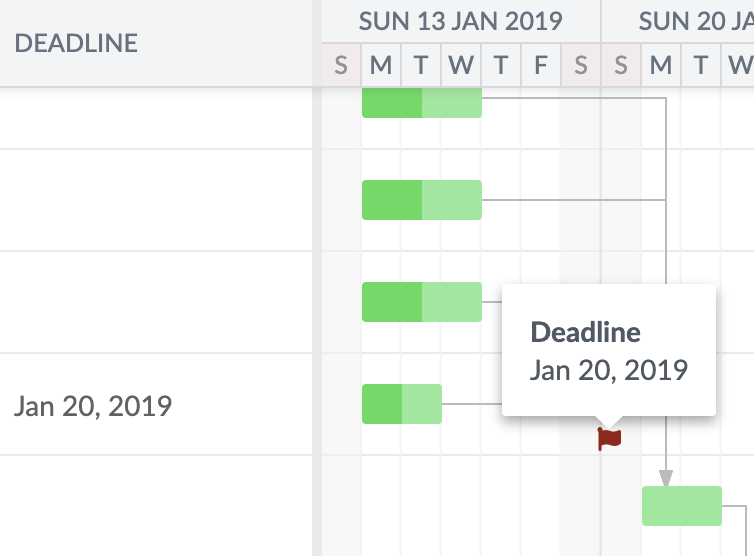
Deadline date
A new `Deadline` field was added to `TaskModel` and a `DeadlineDateColumn` to display and edit it. This field will be visualised by a red flag when using the indicators feature above.
Resource assignment avatars
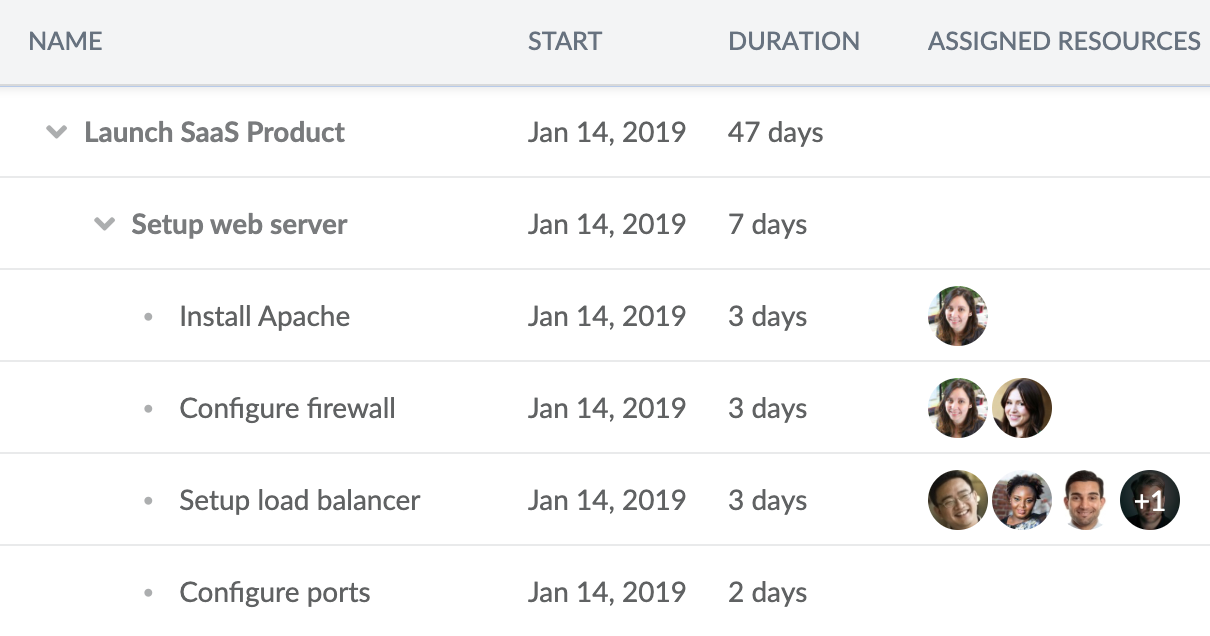
The `ResourceAssignmentColumn` has been updated to be able to show avatars for assigned resources. This makes the assignment data bit more visually pleasing. See the new `showAvatars` config used in the updated advanced demo.
const gantt = new Gantt({
    resourceImageFolderPath  : '../_shared/images/users/',
    columns                  : [
        { type : 'wbs' },
        { type : 'name', width : 250 },
        { type : 'startdate' },
        { type : 'duration' },
        { type : 'resourceassignment', width : 120, showAvatars : true }
     ],
     ...
});
New integration demos .NET + .NET Core backends
In the Scheduler release you will find two new integration demos for ASP.NET and .NET Core which should be useful if you are using a Microsoft stack.


We also added a new React + TypeScript demo and an Angular 9 demo featuring recurring events.
Learn more
The new features and examples we add are almost exclusively a result of the feedback received from our community. We hope you will enjoy these new features and please keep the feedback coming. For full details please see the Gantt change log or Scheduler change log.
Build it with Bryntum Gantt
Start a free trial, explore live demos, or read the docs.