Disabling Animations In Your Siesta Tests
We strive to keep posts updated, but code samples may sometimes be outdated. Humans, see the Bryntum documentation; agents, https://mcp.bryntum.com for the latest info.
While testing your web application frontend, it’s key to have stable tests producing consistent results. This means rerunning a test multiple times under varying CPU load should always give a reliable predictable outcome. Animated CSS transitions and JS based animations are two things that could introduce instability for your UI tests such as race conditions while the mouse cursor is being moved.
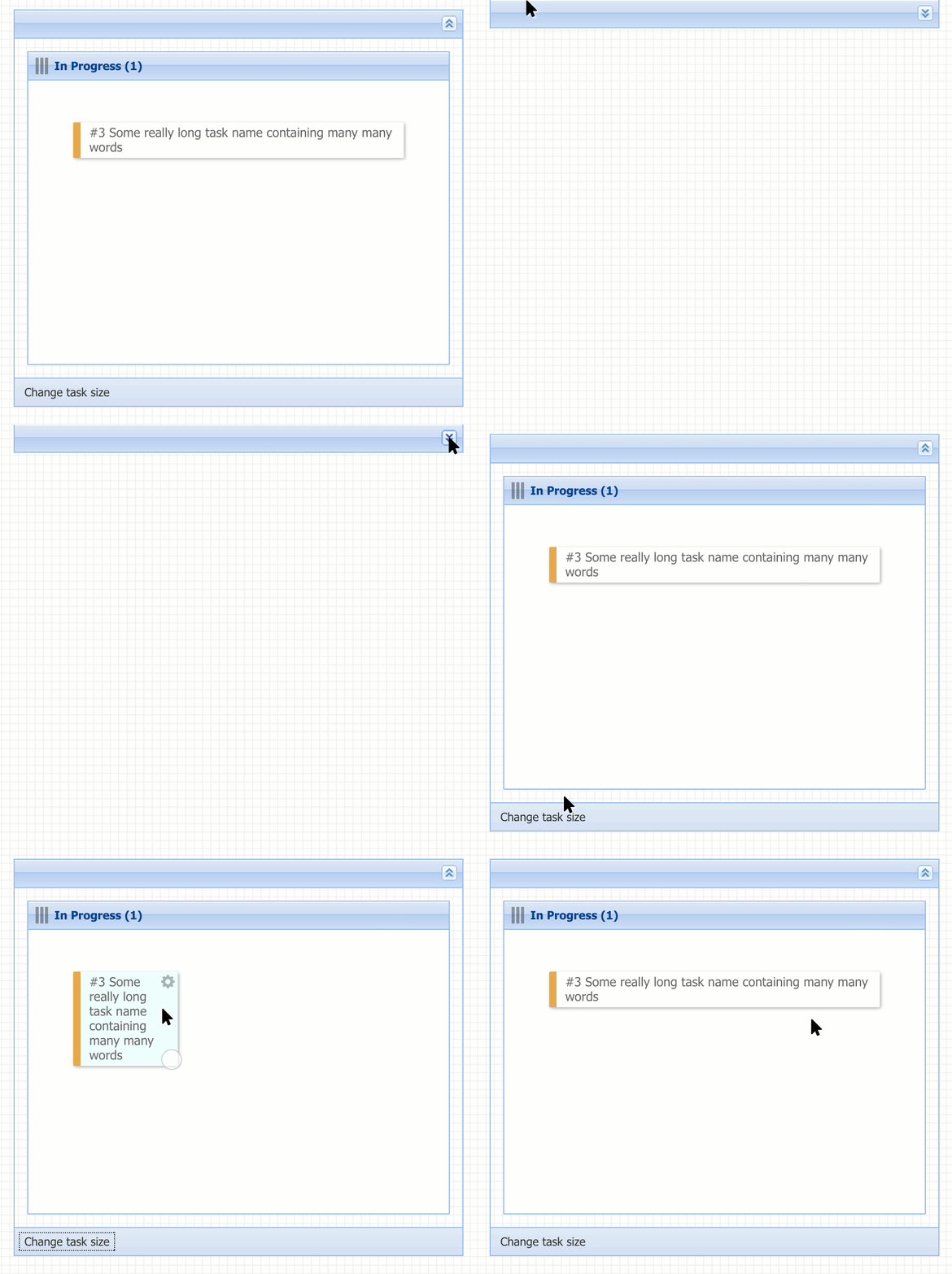
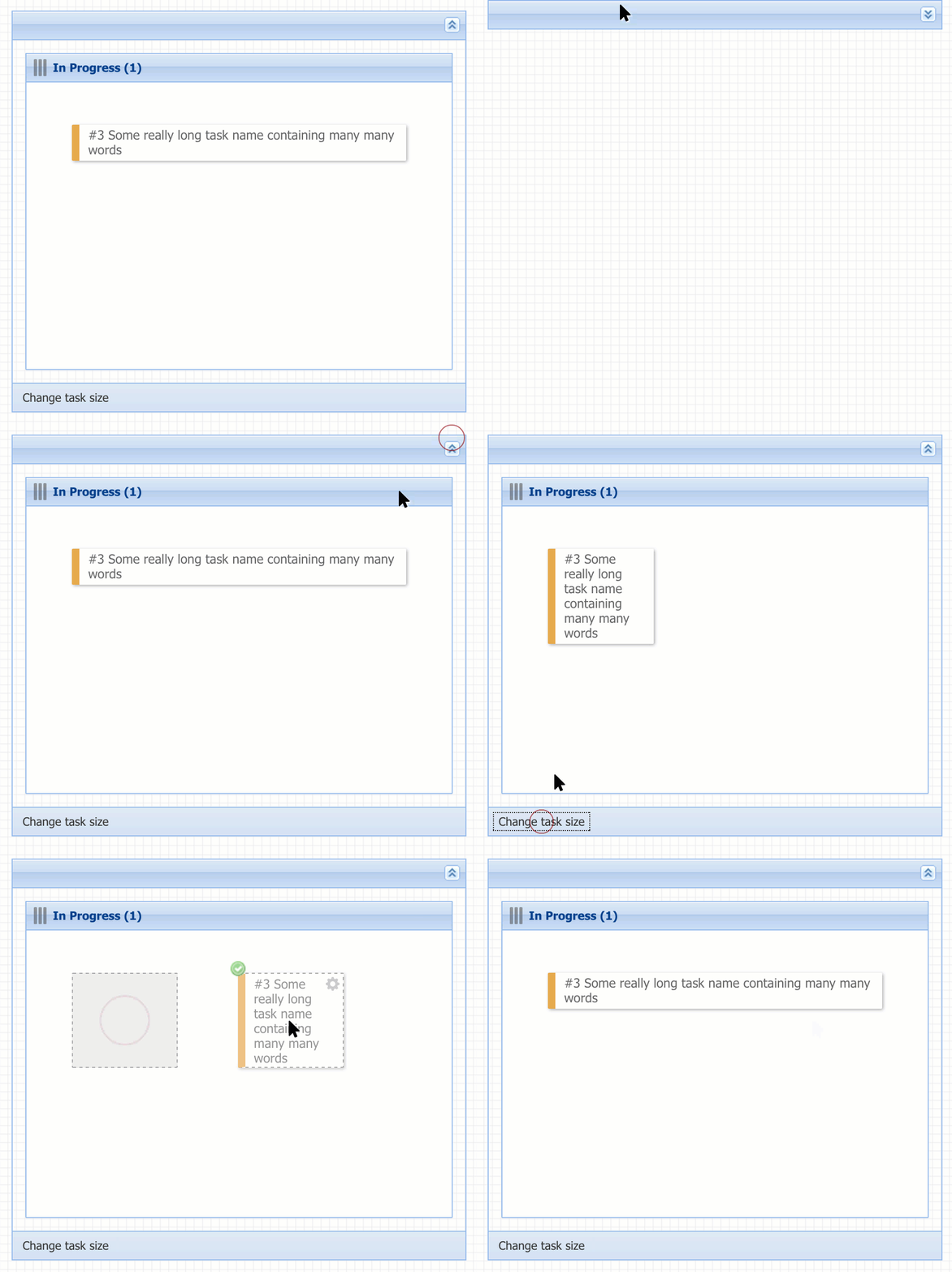
Below is a simple example expanding an Ext.Panel (which uses JS animations) and after that a button is clicked which trigger a DIV to change size (using CSS transitions). Notice that the cursor is first waiting for the Ext.Panel to expand before moving the mouse to the next button. After the second click, the cursor tries to target the DIV while it’s in transition. Siesta detects this and retries the action after a short delay. It’s obviously better to not rely on this ‘retargeting’ technique, and instead have a stable app running with as little asynchronicity as possible.
For maximum stability (and speed) in your tests, you can easily disable your CSS transitions by adding a simple extra preload:
preload : [
    'app.js',
    'app-all.css',
    {
        type    : 'css',
        content : '* { transition: none !important; }'
    }
]
Similarly you can turn off Ext JS animations by overriding your used Ext classes like this:
    Ext.dd.DragSource.override({
        animRepair : false
    });

    Ext.panel.Panel.override({
        animCollapse : false
    });
See below the same test code as above run without animations enabled.
Hope you found these tips helpful, and happy testing!
Try Bryntum components
Fast, framework-agnostic UI components for scheduling and project management.