Customer spotlight: Captello
We strive to keep posts updated, but code samples may sometimes be outdated. Humans, see the Bryntum documentation; agents, https://mcp.bryntum.com for the latest info.
Captello’s meeting management platform (MMP) helps organisations plan, schedule, and track meetings across teams, rooms, and resources. It gives operations teams a single place to book the right people and spaces and keep schedules accurate as plans change.
Their customers range from mid-size operations teams to enterprises managing complex multi-site scheduling needs. All of them expect a fast, visual, and dependable experience when booking and reviewing meetings.
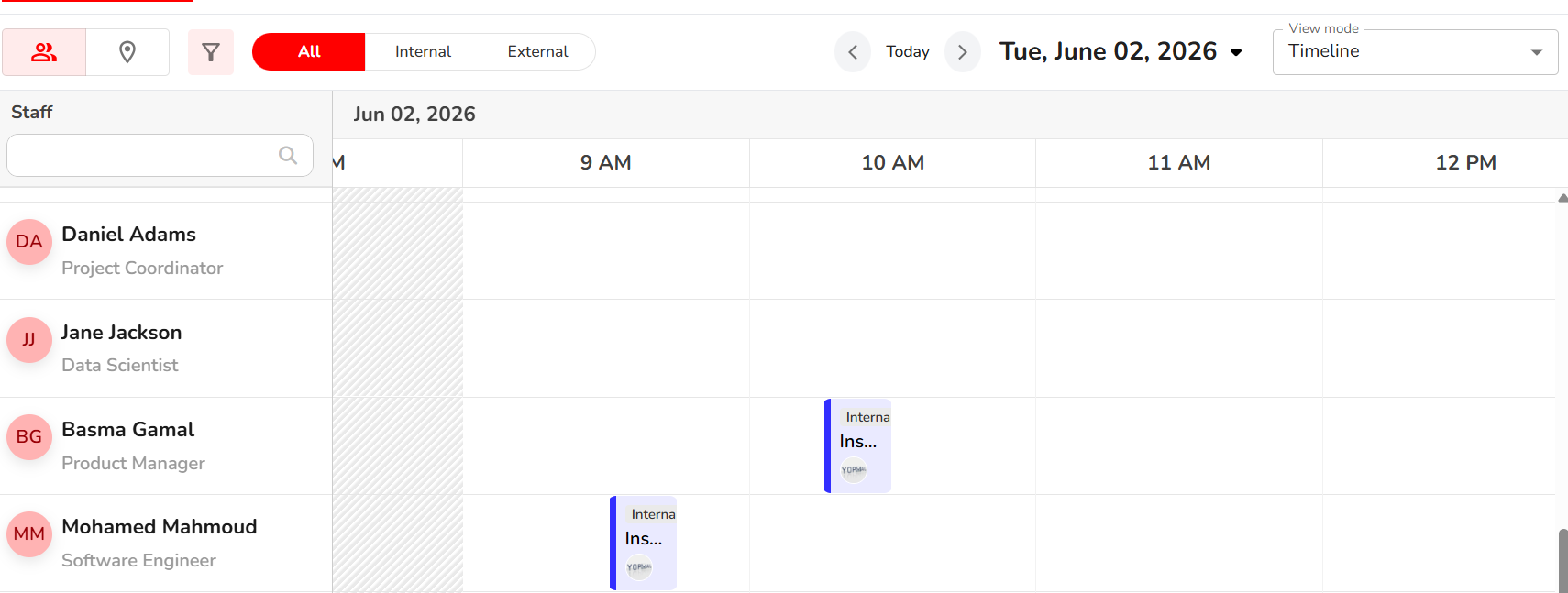
What scheduling views did Captello’s customers need?
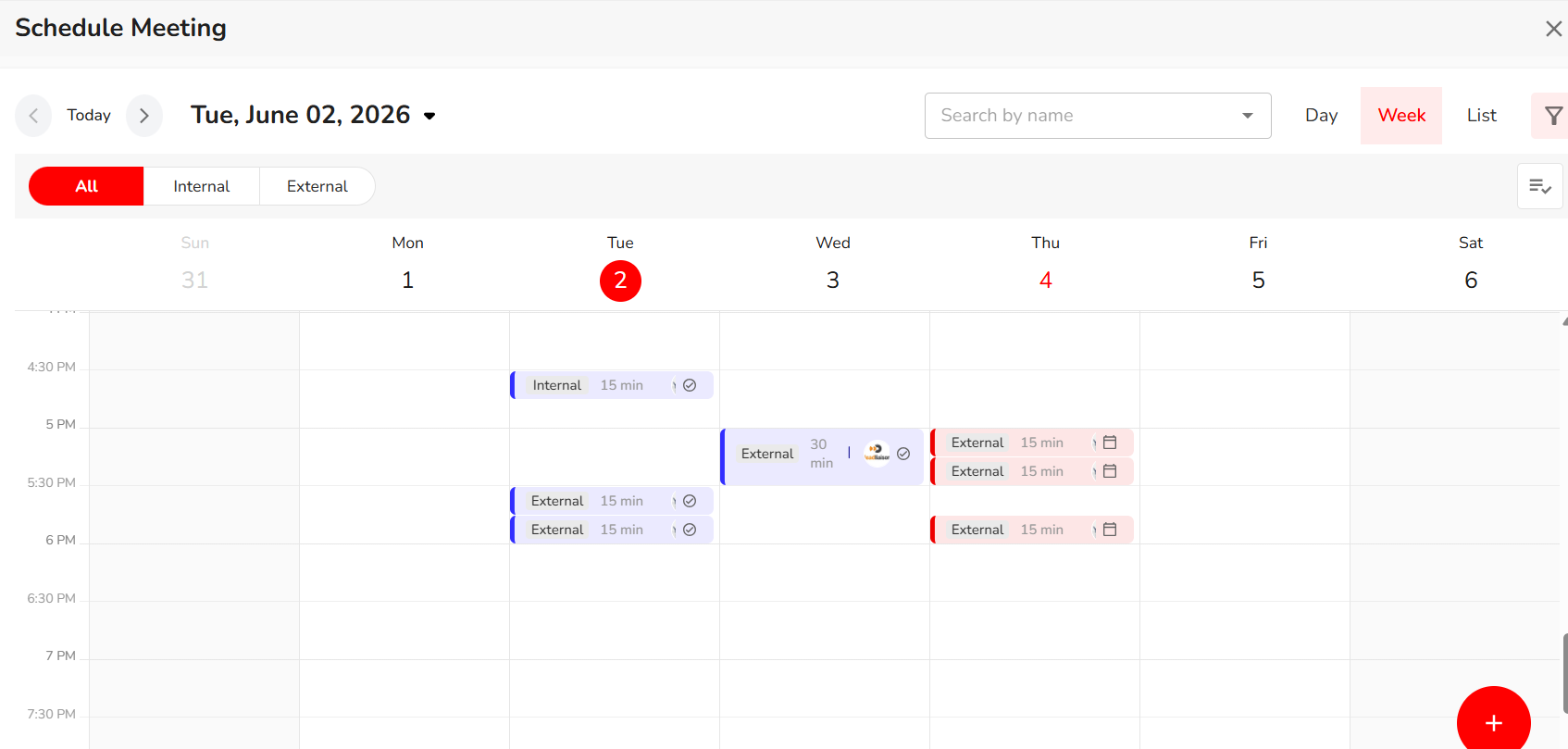
Captello’s customers needed to view meetings in multiple ways, and every view had to work reliably at scale:
- Day view: a single day’s meetings at a glance
- Week view: a rolling weekly overview
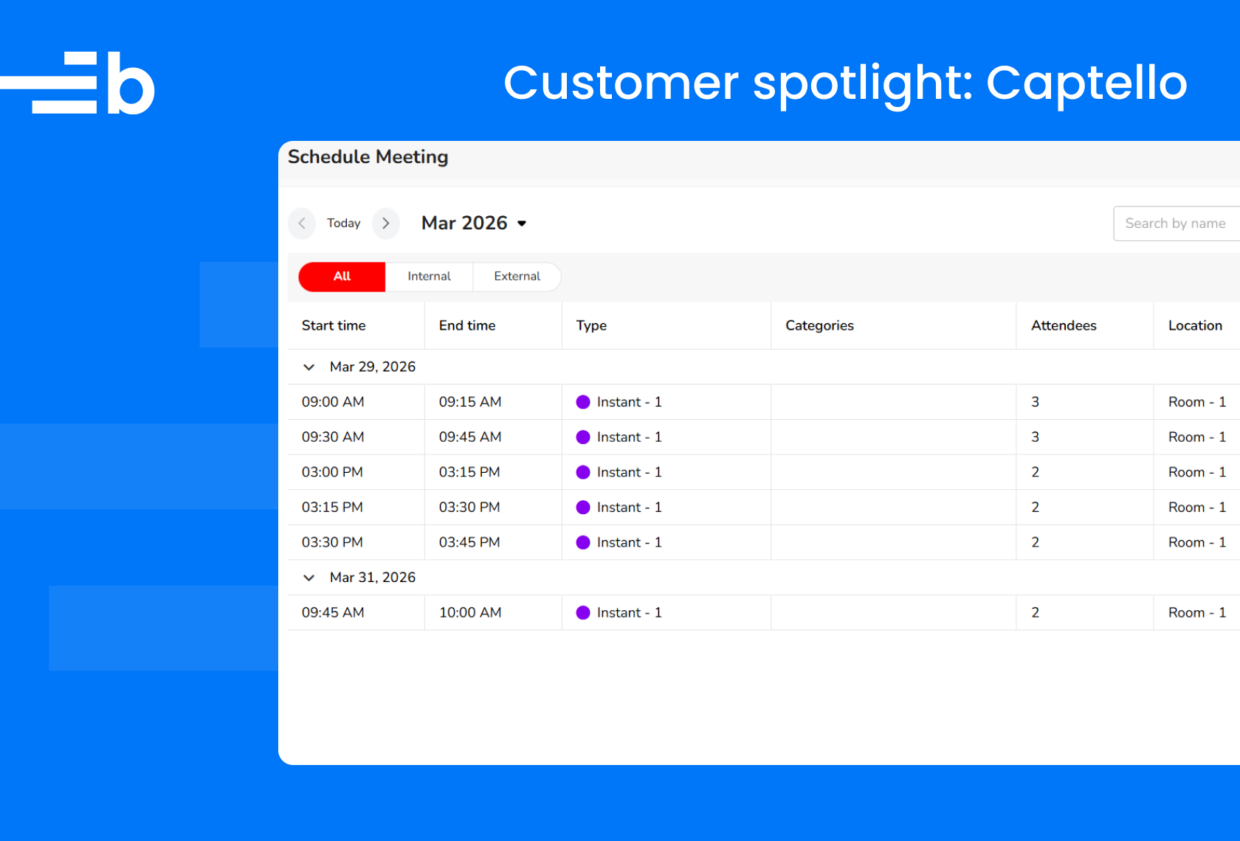
- Calendar list view: a full chronological list
- Master view: all bookings for a specific staff member or room at once
Building each of these from scratch would have meant months of engineering work and ongoing maintenance every time a browser or framework changed under them.
Why didn’t open-source calendar libraries work?
The team initially explored open-source calendar libraries and considered building a custom scheduler on top of existing grid components. The open-source options covered simple month or week views, but fell short on the timeline view and per-resource master calendar, both of which are core to how Captello’s customers manage their day.
What made Bryntum Scheduler and Calendar the right fit?
What tipped the decision was finding that Bryntum’s Scheduler and Calendar components covered all the required views (day, week, list, and timeline) in a single, well-documented package.
The resource-based timeline view was a particularly strong fit: it mapped directly onto Captello’s master calendar concept, where staff members and rooms are the primary resources being scheduled. Licensing was straightforward, and the documentation gave the team confidence they could move fast without getting stuck.
How did Captello integrate Bryntum into React and TypeScript?
The team integrated Bryntum components into their React and TypeScript frontend using core products:
- Bryntum Calendar
- Bryntum Scheduler
- Bryntum Scheduler Pro
Bryntum Calendar powers the day, week, and list views. Bryntum Scheduler and Scheduler Pro drive the master calendar, a resource-based timeline showing all meetings for a given staff member or room.
The components were wired to the Captello API for real-time meeting data. Custom event renderers were added to surface key metadata directly inside each calendar event:
- Attendee count
- Room capacity
- Status badges
The resource grouping and filtering APIs made the master calendar straightforward to implement: each resource maps to a Bryntum resource record, and the timeline view handles the rest.
How long did the timeline view take to build?
Weeks, not months. Captello completed the integration in approximately 3 weeks, work they estimate would have taken at least 3 months to build in-house.
We’d been putting off the timeline view because we knew how much work it would be to build from scratch. The resource grouping just worked. We pointed it at our existing data model and it rendered exactly what our customers had been asking for.
— Senior Frontend Engineer, Captello
Should you build or buy a resource scheduler for your app?
If you’re staring down building calendar and timeline views yourself, take it from Captello: you probably don’t have to. Bryntum Calendar gives you the day, week, and list views, and Scheduler and Scheduler Pro give you the per-resource timeline. Give them a try, free.
Try Bryntum components
Fast, framework-agnostic UI components for scheduling and project management.