
What’s new in v7.2.0
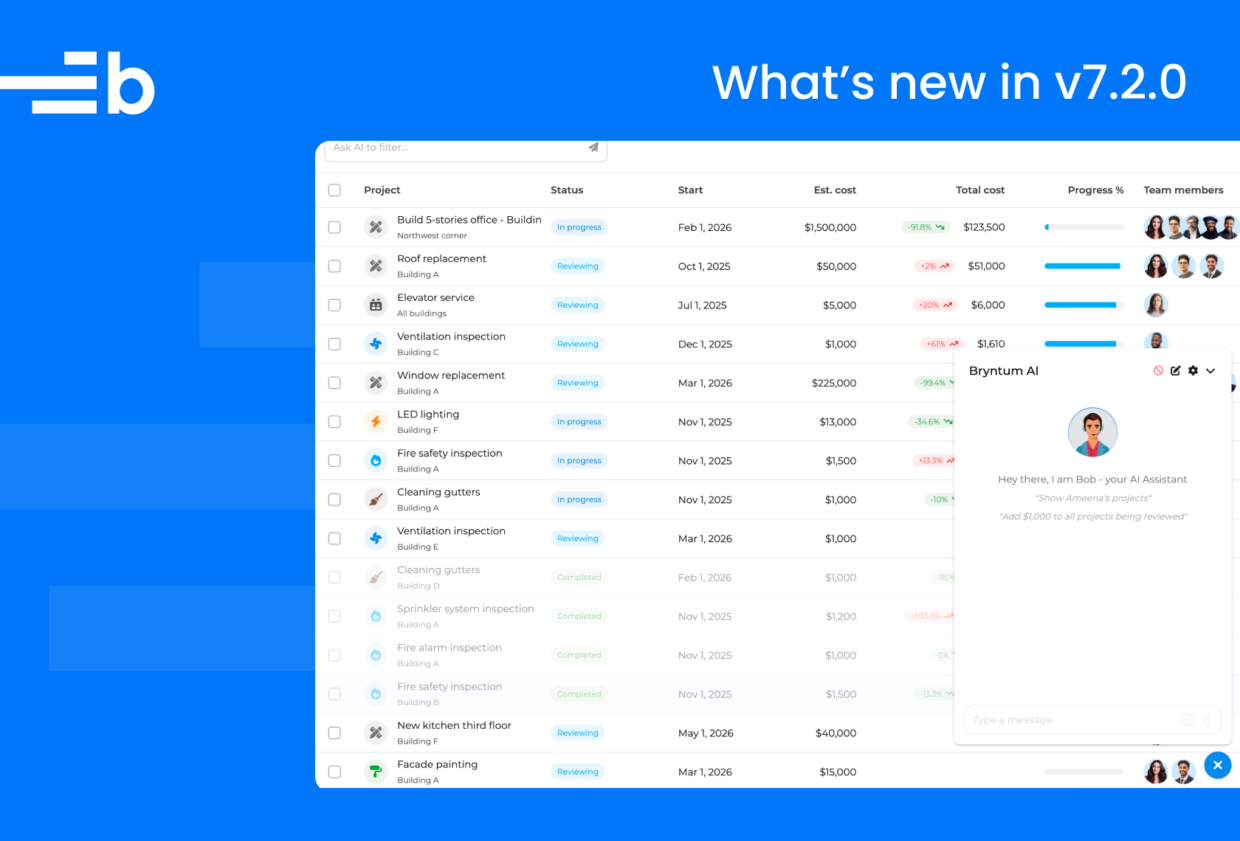
We’re excited to announce Bryntum v7.2.0, a release that brings the power of AI directly into your Bryntum applications. This update introduces an experimental AI feature across Grid, Scheduler, Gantt, and Calendar, enabling natural language interactions with your data, along with enhanced flexibility for Grid’s tree columns and improved task order management for TaskBoard.
This release is about making your applications smarter and more intuitive, allowing end users to interact with complex data structures through conversational AI while giving developers powerful new tools to build next-generation web applications.
Conversational AI for Grid, Scheduler, Gantt, and Calendar
The headline feature of v7.2.0 is the new experimental AI feature that brings conversational intelligence to Grid, Scheduler, Gantt, and Calendar. Users can interact with their data using natural language through a chat panel, simply type requests like “Show me all overdue tasks assigned to John” or “Add a new milestone for next Monday” and watch the AI agent translate them into actions.
The AI agent can filter, sort, and select records, as well as perform data manipulation operations like adding, updating, or deleting records. The feature is designed to be LLM-agnostic, giving you the freedom to use OpenAI, Gemini, Anthropic, or any other LLM that supports tool calling. This means you maintain control over your data, compliance requirements, and can switch providers as the AI landscape evolves.
Explore the AI feature in action across our products:
- Grid AI Demo – Project summary management
- Gantt AI Demo – Intelligent project planning
- Scheduler AI Demo – Smart resource allocation
- Calendar AI Demo – AI-powered scheduling
This feature is experimental and may change in future releases; please share feedback so we can refine the implementation.
Enhanced tree column flexibility in Grid
Grid v7.2.0 removes a long-standing limitation: any column can now be used as a tree column. Previously, only one specific column could display the hierarchical structure of your data. With this release, you have complete freedom to choose which column best represents your tree structure.
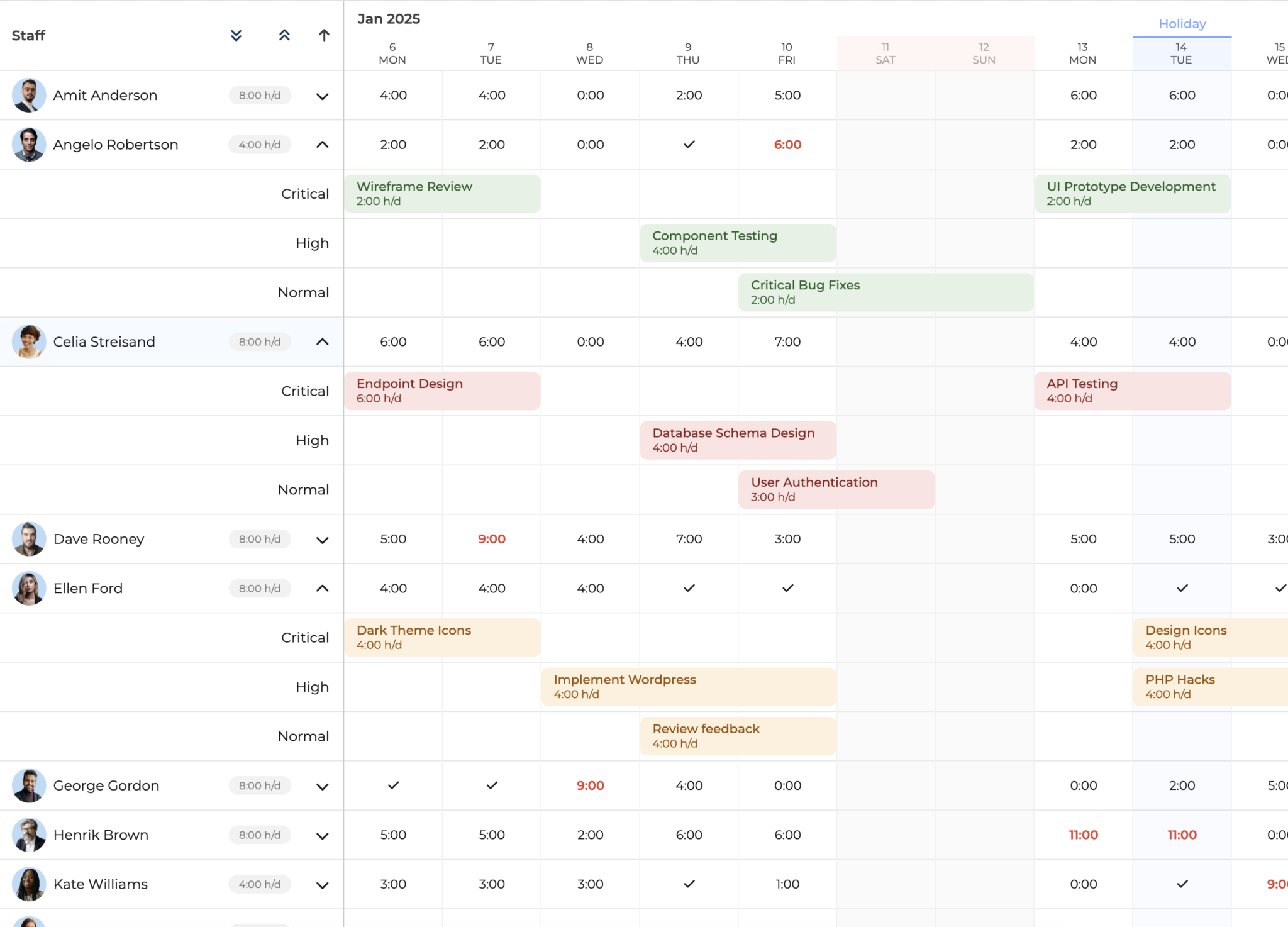
This enhancement is particularly valuable when working with custom column types or when you want to display the tree hierarchy in a way that makes more sense for your specific use case:
const grid = new TreeGrid({
    columns : [
        // Use a custom column type as your tree column
        { type : 'resourceInfo', tree : true, field : 'name' },
        // Or even use a checkbox column as the tree column
        { type : 'check', tree : true, field : 'done' }
    ]
});
This flexibility allows you to create more intuitive and visually appealing hierarchical data presentations that align with your application’s specific requirements.
Interactive event editor with time visualization for Calendar
Calendar v7.2.0 introduces the TimeVisualizingEditor, a new event editor that displays a live day or week view alongside the event form. This innovative editor lets you see your event in context while editing it, providing instant visual feedback that makes scheduling more intuitive and accurate.
When you create or edit an event, the editor displays a time visualizer showing your event positioned within the day’s schedule. The magic happens in the bidirectional sync, drag the event in the visualizer and watch the form fields update automatically, or change the start time in the form and see the event move in the timeline. This seamless interaction eliminates the guesswork from scheduling.
When maximized on wider screens (900px+), the editor intelligently switches to a week view, giving you even more context by showing surrounding days and helping you find the perfect time slot while avoiding conflicts with existing events.
This feature brings the best of modern calendar applications like Microsoft Outlook and Google Calendar to your Bryntum Calendar, with an implementation that’s even more responsive and interactive. The time visualizer only appears for intra-day events, keeping the interface clean and relevant.
Try it in the updated Calendar filtering demo by creating or editing an event and clicking the maximize button.
Sparse index support for TaskBoard
TaskBoard now benefits from sparse index support in the TaskStore, a feature already available in Grid, Scheduler, and Gantt. When you re-order tasks or move them between columns, only the affected task record is updated in the sync payload – no re-indexing of unaffected tasks is necessary. This provides a more efficient way to maintain task order with minimal data synchronization.
Enabling the feature is straightforward:
new TaskBoard({
    project : {
        loadUrl   : '/project',
        syncUrl   : '/project',
        taskStore : {
            useSparseIndex : true
        }
    }
});
Check out the new sparse index demo to see the feature in action and observe the optimized network communication in your browser’s developer tools.
Kitchen Sink demo – explore all widgets in one place
We’ve added a comprehensive new Kitchen Sink demo to all Bryntum products, providing a single interactive showcase of every widget available in each package. This live widget catalog lets you browse all components, from basic text fields and date pickers to advanced scheduling views and charts, with search and filter capabilities to quickly find what you need.
Despite showcasing dozens of widgets across all products, the demo maintains excellent performance through intelligent lazy loading. Core components load immediately, while product-specific bundles load automatically as you scroll. Each widget is displayed as a working example with direct links to API documentation.
Try our the Grid Kitchen Sink to see the demo in action.
Summing up
Bryntum v7.2.0 represents a significant step forward in how users interact with data-intensive web applications. By integrating conversational AI capabilities into Grid, Scheduler, Gantt, and Calendar, we’re making complex data operations accessible through natural language, reducing the learning curve and improving productivity for both new and experienced users.
Combined with enhanced flexibility in Grid’s tree columns, Calendar’s innovative time-visualizing event editor, TaskBoard’s improved task order management, and the comprehensive Kitchen Sink demo for exploring all available widgets, v7.2.0 delivers tools that make building modern, intelligent web applications easier than ever. As AI technology continues to evolve, we’re committed to expanding and refining these capabilities while maintaining the flexibility and performance you expect from Bryntum.
Release details
For the full details about this release, please see the Changelog and What’s new guide for each product:
| Product | Changelog | What’s new | |
|---|---|---|---|
| Grid | |||
| Scheduler | |||
| Scheduler Pro | |||
| Gantt | |||
| Calendar | |||
| Task Board |